Godot 4 Navigation Setup Tutorial
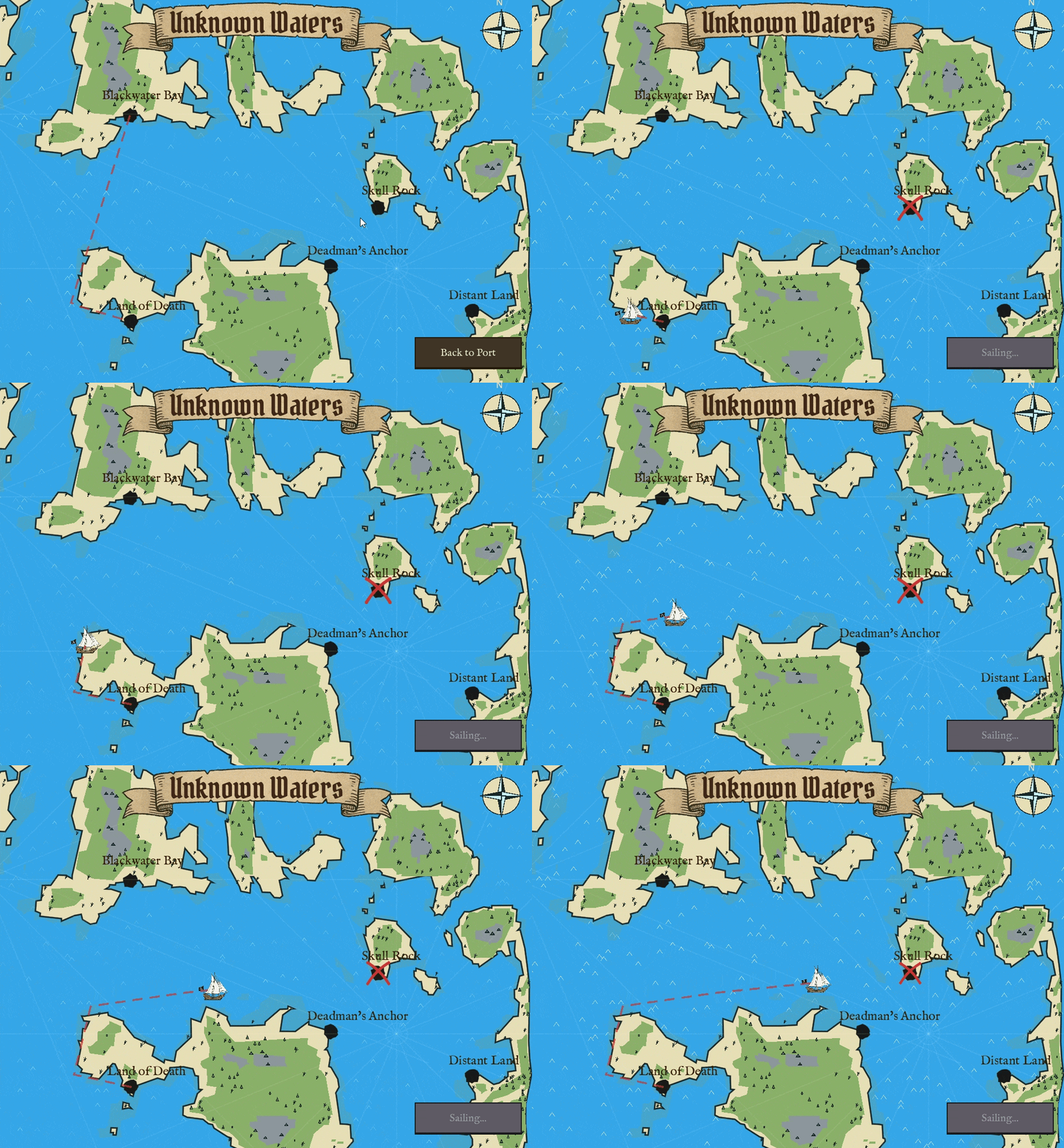
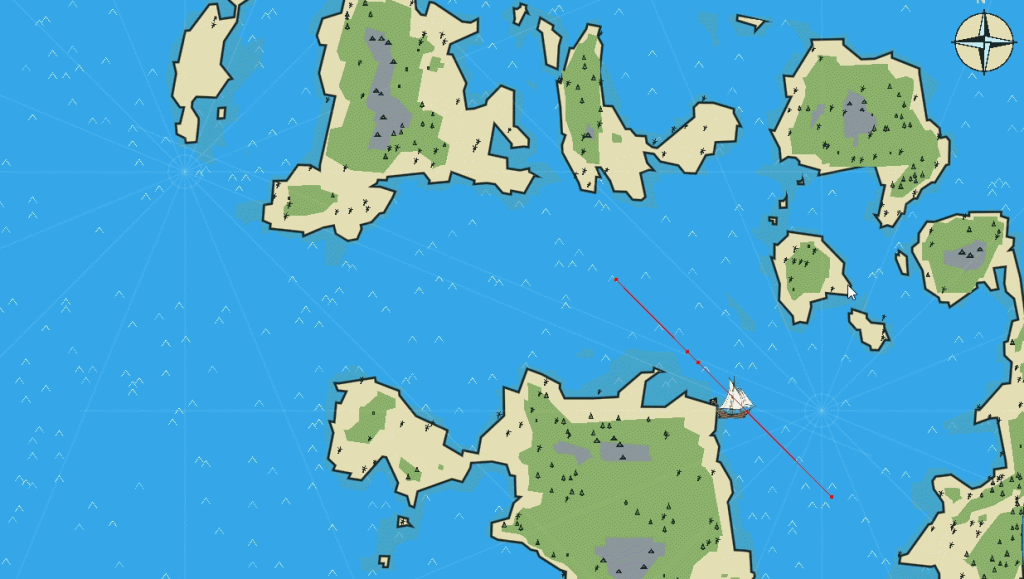
This tutorial explains how to set up 2D pathfinding in Godot 4 using NavigationRegion2D and NavigationAgent2D. In this tutorial, we will make a ship move to any clicked location on the map.
For visuals, I am using my earlier procedurally generated map I created for my pirate trading mini-game.
Scene Setup
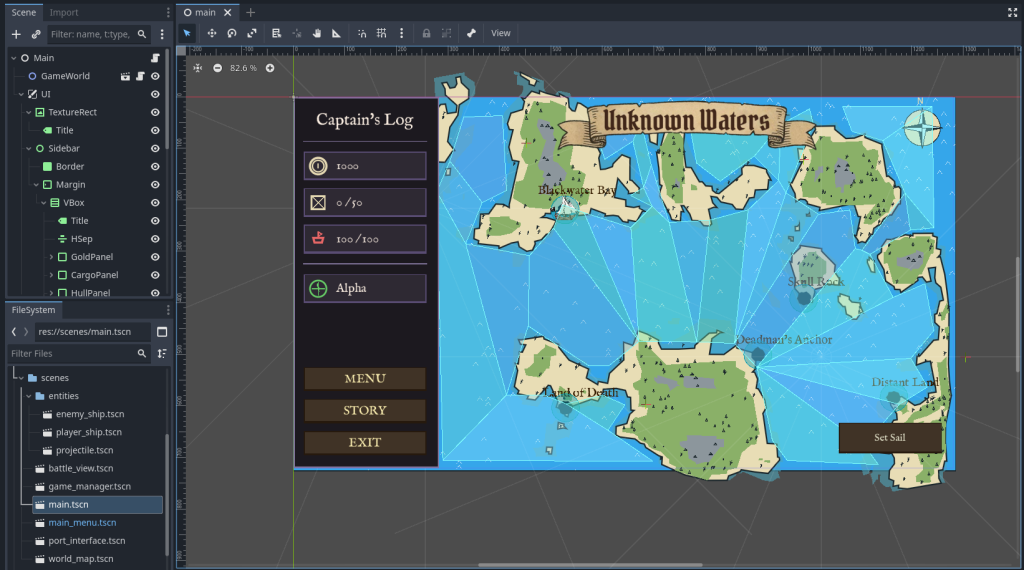
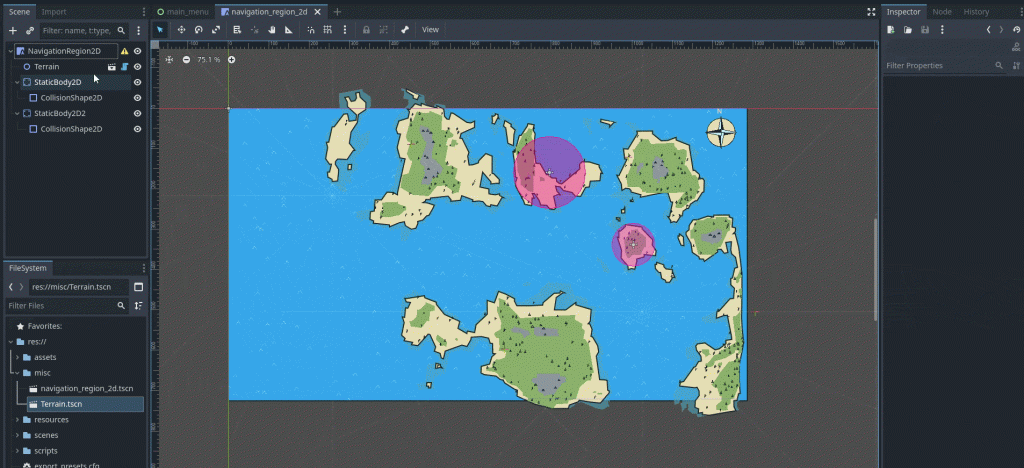
Create a new scene and set root node as NavigationRegion2D. Add some StaticBody2D children for obstacles.
Select the NavigationRegion2D, go to the Inspector, and create a new NavigationPolygon. Use the “Create Points” tool to draw the walkable area. Click “Bake NavigationPolygon” at the top of the viewport to carve out any obstacles.
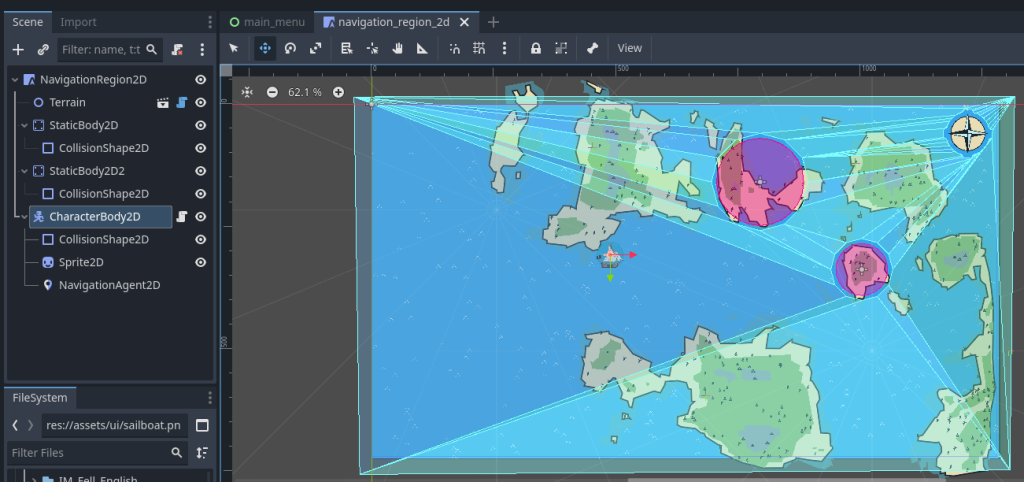
Then add CharacterBody2D for player, give it sprite, collision shape, and then add NavigationAgent2D as its child. This helper node calculates the path for our character to the destination.
In the Inspector for the NavigationAgent2D node, enable “Visible” if you want to see the path line during testing.
The Script
Attach this script to your CharacterBody2D.
extends CharacterBody2D

@export var speed: float = 300.0
@onready var nav_agent: NavigationAgent2D = $NavigationAgent2D

func _physics_process(_delta: float) -> void:
	if nav_agent.is_navigation_finished():
		return

	var current_agent_position: Vector2 = global_position
	var next_path_position: Vector2 = nav_agent.get_next_path_position()

	# Calculate velocity toward the next path point
	var new_velocity: Vector2 = current_agent_position.direction_to(next_path_position) * speed

	velocity = new_velocity
	move_and_slide()

func _unhandled_input(event: InputEvent) -> void:
	if event is InputEventMouseButton and event.pressed and event.button_index == MOUSE_BUTTON_LEFT:
		set_movement_target(get_global_mouse_position())

func set_movement_target(target_point: Vector2) -> void:
	nav_agent.target_position = target_point
How it Works
_unhandled_input detects the mouse click and updates the target_position of the agent. The agent internally calculates a path through the NavigationRegion2D.
get_next_path_position() returns the next waypoint in the path. You must use direction_to() to move the physics body toward that specific point.
Because the NavigationRegion2D was baked with obstacles, the generated path will automatically steer around the holes in the navigation mesh.
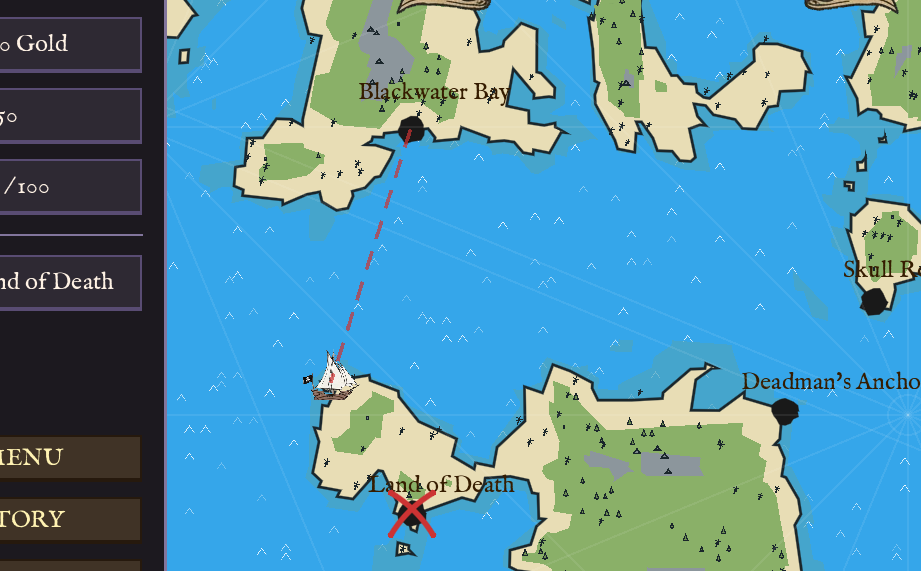
(Bonus) How to make that stylized X mark with dotted path?
Replace your code with the following. It has helper functions to draw line and X mark. Now when you click somewhere, a line and X mark at the end will draw.
extends CharacterBody2D

@export var speed: float = 300.0
@onready var nav_agent: NavigationAgent2D = $NavigationAgent2D

@export_group("Trail Visuals")
@export var trail_color: Color = Color("8a2e2e")
@export var trail_width: float = 2.0
@export var dash_length: float = 10.0

@export_group("Target Visuals")
@export var mark_color: Color = Color(0.8, 0.2, 0.2, 1.0)
@export var mark_size: float = 40.0
@export var mark_stroke_width: float = 4.0

# Store the static path here
var _current_visual_path: PackedVector2Array = PackedVector2Array()

func _physics_process(_delta: float) -> void:
	queue_redraw()

	if nav_agent.is_navigation_finished():
		return

	var current_agent_position: Vector2 = global_position
	var next_path_position: Vector2 = nav_agent.get_next_path_position()

	var new_velocity: Vector2 = current_agent_position.direction_to(next_path_position) * speed
	velocity = new_velocity
	move_and_slide()

func _unhandled_input(event: InputEvent) -> void:
	if event is InputEventMouseButton and event.pressed and event.button_index == MOUSE_BUTTON_LEFT:
		set_movement_target(get_global_mouse_position())

func set_movement_target(target_point: Vector2) -> void:
	nav_agent.target_position = target_point

	# CALCULATE STATIC PATH ONCE
	# We ask the NavigationServer directly for the path from WHERE WE ARE NOW to the TARGET.
	# This path will not change even if we move.
	var map = nav_agent.get_navigation_map()
	_current_visual_path = NavigationServer2D.map_get_path(map, global_position, target_point, true)

func _draw() -> void:
	if nav_agent.is_navigation_finished():
		# Optional: Clear the path visuals when done
		if not _current_visual_path.is_empty():
			_current_visual_path.clear()
		return

	if _current_visual_path.is_empty():
		return

	# DRAW DASHED PATH (Static in world, so we transform to local)
	var points_local = PackedVector2Array()
	for p in _current_visual_path:
		points_local.append(to_local(p))

	draw_dashed_line_poly(points_local, trail_color, trail_width, dash_length)

	# DRAW X MARK (At the last point of our static path)
	if not _current_visual_path.is_empty():
		var target_world = _current_visual_path[_current_visual_path.size() - 1]
		draw_x_mark(to_local(target_world))


func draw_dashed_line_poly(points_list: PackedVector2Array, line_color: Color, line_width: float, dash: float):
	for i in range(points_list.size() - 1):
		var p1 = points_list[i]
		var p2 = points_list[i+1]
		var dist = p1.distance_to(p2)
		if dist < 0.1: continue

		var steps = int(dist / (dash * 2))
		for s in range(steps):
			var t1 = float(s) / steps
			var t2 = float(s) / steps + (dash / dist)
			if t2 > 1.0: t2 = 1.0
			draw_line(p1.lerp(p2, t1), p1.lerp(p2, t2), line_color, line_width)

func draw_x_mark(center_pos: Vector2):
	var pulse_scale = 1.0 + 0.1 * sin(Time.get_ticks_msec() * 0.005)
	var offset = (mark_size / 2.0) * pulse_scale

	var p1 = center_pos + Vector2(-offset, -offset)
	var p2 = center_pos + Vector2(offset, offset)
	var c1 = center_pos + Vector2(5, -5)
	_draw_curved_line(p1, p2, c1, mark_color, mark_stroke_width)

	var p3 = center_pos + Vector2(offset, -offset)
	var p4 = center_pos + Vector2(-offset, offset)
	var c2 = center_pos + Vector2(-5, -5)
	_draw_curved_line(p3, p4, c2, mark_color, mark_stroke_width)

	for p in [p1, p2, p3, p4]:
		draw_circle(p, mark_stroke_width * 0.7, mark_color)

func _draw_curved_line(start, end, control, col, width):
	var points = PackedVector2Array()
	var steps = 10
	for i in range(steps + 1):
		var t = float(i) / steps
		var q = start.lerp(control, t).lerp(control.lerp(end, t), t)
		points.append(q)
draw_polyline(points, col, width, true)Thank you for reading <3